Must-Have Productivity Apps for Every 9-to-5 Professional
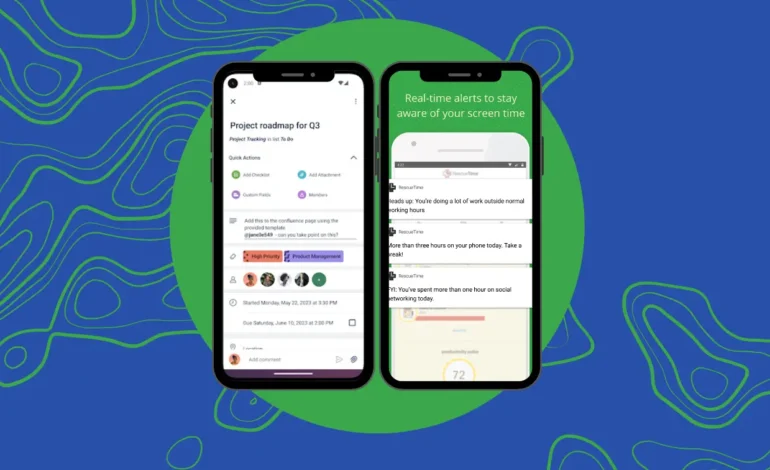
Productivity apps are not just about getting more work done. They help you stay efficient and focused without feeling overwhelmed. The right tools can simplify your workflow, save time, and improve work-life balance.
To find the best productivity apps, I asked a few friends who work 9-to-5 in Lagos about the tools they use. Their answers were insightful. One friend, Lorenz (not his real name), uses ChatGPT to automate tasks, saying, “I’ve built customGPTs on ChatGPT, so that makes my work easier.” He also relies on Gamma for presentations. Another friend, Chocolate (not her real name), works in tech and prefers the Notes app for planning her day. She also uses Notion occasionally and sets alarms for almost everything.
These responses highlight how different people have unique needs when it comes to productivity. A structured workday can feel overwhelming, but the right tools can make a big difference. According to McKinsey, employees spend about 11 hours per week managing emails and another 20% of their time searching for information or assistance. Using the right apps can increase productivity by 20–25%.
Top Productivity Apps for 9-to-5 Workers
1. Trello

Trello helps organize tasks visually with boards, lists, and cards. You can track progress, collaborate with your team, and streamline workflows. Its simple design makes it ideal for managing projects efficiently.
2. Habitica
Habitica turns productivity into a game. It uses rewards and visual cues to help users stay on track. This is especially useful for those who struggle with distractions. You can set personal and work-related goals in one place.
3. Notion
Notion is a flexible workspace for note-taking, task management, and team collaboration. You can customize templates and databases to fit your workflow. It’s an all-in-one tool that helps you stay organized.
4. Freedom

Freedom blocks distracting websites and apps to keep you focused. Whether working remotely or in an office, this app helps manage screen time and boost productivity. You can schedule blocking sessions for specific times.
5. RescueTime
RescueTime tracks how you spend your time on digital devices. It provides reports and insights to help you stay on task. You can set productivity goals and monitor your progress.
6. Grammarly
Grammarly improves your writing by checking grammar, spelling, and clarity. It saves time on editing and helps create professional emails, reports, and presentations.
7. Pocket
Pocket is perfect for those who save articles and videos for later. It allows you to access content offline and even listen to saved articles. This makes multitasking easier while staying informed.
8. Todoist

Todoist is a task manager that helps you stay organized. You can create to-do lists, set deadlines, and automate recurring tasks. It reduces stress by keeping everything in one place.
9. Google Meet
Google Meet is essential for virtual meetings. It allows you to present slides, schedule meetings, and collaborate with colleagues worldwide. The app is simple to use and integrates with other Google tools.
10. Google Calendar
Google Calendar keeps track of appointments and deadlines. You can set reminders and share schedules with coworkers. Its email integration ensures you never miss important meetings.
11. Slack

Slack makes team communication seamless. It organizes conversations into channels, reducing clutter in emails. You can also integrate it with tools like Trello and Google Calendar for better collaboration.
Final Thoughts
These apps can transform your work routine by improving efficiency and reducing stress. However, the key to productivity is discipline. Use these tools wisely, and you’ll see real improvements in how you work every day.